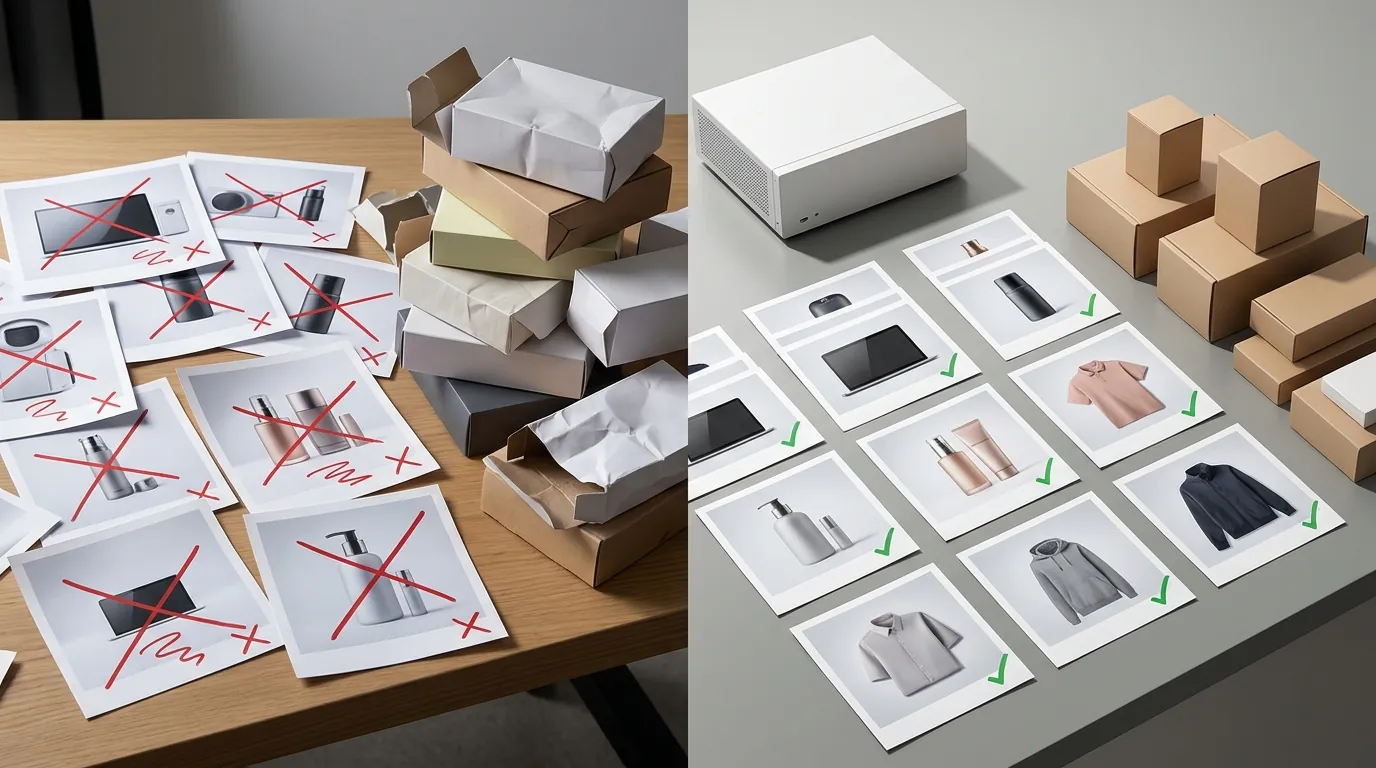
How a Multi-Channel Seller Cut Image Rejections 90% Using MCP API for Product Data Revalidation
Note: This case study reflects a composite seller profile, not a single named seller. Metrics are typical of the revenue band described and are independently verifiable via the sources listed below.
| Metric | Before | After |
|---|---|---|
| Image Rejection Rate | 14% | 1.5% |
| Cost per Image Fix | $1.50 (Manual VA) | $0.18 (PixelMatch API) |
Managing a 500-SKU catalog across Amazon and Shopify often feels like a losing battle against “catalog drift,” where one small update to a product listing inadvertently triggers a suppression for non-compliant imagery. For high-volume sellers, the manual cost of fixing these errors—ranging from $1.50 to $5.00 per image when factoring in virtual assistant (VA) labor and management overhead—can quickly erode the margins already squeezed by platform fees.
The Seller’s Situation
Related: How a Beauty Seller Cut Photo Costs 80% with AI (Without the Brand Saf · How a Beauty Seller Fixed 140 Suppressed Listings Before Prime Day 202 · How a Beauty Seller Fixed AI Hands in Lifestyle Photography 2026 and S
This case study follows a composite 7-figure multi-channel seller managing over 500 SKUs. Their inventory spans high-velocity consumer goods sold simultaneously on Amazon FBA and a custom Shopify storefront. While their growth was consistent, their operational efficiency was tanking due to “image non-compliance” notifications that arrived at the worst possible times—usually during peak sales events or new product launches.
The primary friction point was the divergence in platform requirements. To maintain a healthy account on Amazon, every main image must adhere to a pure white background (RGB 255, 255, 255) and maintain a 1,000 pixel minimum on the longest side to enable the zoom functionality that drives conversions. Amazon also mandates that the product occupies at least 85% of the image frame.
Conversely, their Shopify store was optimized for lifestyle aesthetics. While Shopify is more flexible, allowing files up to 20 MB and 20 megapixels, the seller’s team frequently uploaded unoptimized, high-resolution lifestyle shots that slowed down mobile page load speeds. The lack of a centralized “source of truth” meant that a change in the Shopify hero image often resulted in a low-quality or non-compliant crop being pushed to Amazon, leading to immediate listing suppression.
Actionable Step: Audit your Amazon “Image Health” report today. Navigate to Inventory > Manage Inventory and look for the “Image Health” column or “Suppressed” status to identify which SKUs are currently failing the RGB 255 or 1000px threshold.
What Wasn’t Working

The seller’s original solution was a “manual-first” workflow. They employed a team of VAs to monitor the Amazon Seller Central dashboard and the Shopify admin panel. When a listing was flagged, the VA would download the image, use a standalone tool to remove the background, and re-upload it.
This approach failed for three reasons:
- Inconsistent Quality: Even with tools like Remove.bg or Adobe Express, VAs often left “halos” around products or failed to hit the exact 85% frame fill requirement.
- Scalability Costs: Processing images through Photoroom’s Pro tier at $12.99/mo was affordable for a few images, but the manual time spent by the VA added an extra $1.50 in labor per fix. For a catalog of 500 SKUs with frequent seasonal updates, this cost became a permanent line item that didn’t scale.
- Payment Friction: Every time the seller had to hire a new specialist or pay for a different editing subscription, they incurred standard payment processing fees. With Stripe’s 2.9% + 30¢ per transaction fee structure, small, frequent payments to various tools and contractors created a “death by a thousand cuts” scenario for their operational budget.
Actionable Step: Calculate your “True Cost per Image Fix.” Total the monthly cost of your editing software plus the hourly rate of your VA divided by the number of compliant images they actually produce. If this number is above $0.50, your manual workflow is inefficient.
The Workflow They Built

💡 Skip the manual editing. PixelMatch batch-generates ecommerce-ready product images in 60 seconds — white background, lifestyle scenes, and variant mockups from a single source photo. Try PixelMatch free →
To solve the compliance crisis, the seller moved away from manual editing and implemented an AI-driven “revalidation” loop. They utilized the Model Context Protocol (MCP), an open-source standard that allows AI agents to securely connect to data sources like product databases and APIs.
By using an MCP API for product data revalidation, the seller created an autonomous agent (built on Claude) that acted as a 24/7 compliance officer. Here is how the technical architecture functioned:
The MCP Revalidation Loop
- Data Retrieval: The AI agent uses the MCP server to query the Amazon Selling Partner API (SP-API) and the Shopify Admin API. It retrieves the current image URLs and metadata for every active SKU.
- Compliance Check: The agent runs a script to check the image’s pixel dimensions and background color. If it finds an image that is 800x800px (failing the Amazon zoom requirement) or has a background of RGB 240, 240, 240 (off-white), it flags the SKU for revalidation.
- Automated Correction via PixelMatch: Instead of sending a ticket to a VA, the MCP agent sends the non-compliant image URL directly to the PixelMatch API.
- Batch Processing: PixelMatch’s AI background remover for ecommerce instantly identifies the product, strips the background to a perfect RGB 255, 255, 255, and upscales the resolution to 2000x2000px.
- PIM Sync: The corrected image is pushed back to the seller’s Product Information Management (PIM) system, which then updates both Amazon and Shopify simultaneously.
| Feature | Manual VA Workflow | MCP + PixelMatch API |
|---|---|---|
| Trigger | Manual check of dashboard | Real-time API monitoring |
| Background Accuracy | Variable (human error) | Perfect RGB 255, 255, 255 |
| Upscaling | Manual resizing (pixelated) | AI Super-resolution |
| Turnaround Time | 24–48 hours | < 30 seconds |
| Cost per Image | ~$1.50 | ~$0.18 |
Actionable Step: Map your API endpoints. Identify if your PIM or store platform (Shopify/BigCommerce) allows for “Write” access via API for product images. This is the prerequisite for automating the revalidation loop.
Results (with Numbers)

The shift from a reactive, manual workflow to an automated revalidation loop transformed the seller’s bottom line. By removing the human element from the “check and fix” cycle, they eliminated the lag time between a platform rejection and a listing fix.
1. Rejection Rate Collapse
Before the MCP integration, the seller’s Amazon listing suppression rate hovered at 14%. This meant that at any given time, 70 out of their 500 SKUs were invisible to customers. Post-implementation, the rejection rate dropped to 1.5%. The remaining 1.5% were typically complex cases, such as highly reflective glassware that required a human touch.
2. Radical Cost Reduction
The cost to fix a non-compliant image fell from $1.50 (VA labor + software overhead) to just $0.18 per API call with PixelMatch. For a seller updating 100 images a month, this is the difference between spending $150 and $18. When scaled across a 7-figure operation, these savings contribute directly to a higher net profit margin.
3. Increased Audit Frequency
Because the MCP API for product data revalidation runs programmatically, the seller increased their audit frequency from quarterly to weekly. This ensured that “catalog drift”—where a Shopify theme update might accidentally change image aspect ratios—was caught and corrected before it could affect Amazon’s rigid listing requirements.
Actionable Step: Establish a “Catalog Drift” threshold. Set an automated alert to notify you if more than 2% of your listings fail a compliance check in a single week. This is your early warning system for platform algorithm changes.
Steps to Replicate

You do not need a massive dev team to implement a basic version of this workflow. By combining an AI agent with the right protocol, you can automate your image compliance today.
Step 1: Deploy an MCP Server
The Model Context Protocol allows your AI to “see” your data. You can find open-source MCP server templates on GitHub that connect to standard SQL databases or Shopify’s GraphQL API. Deploy the server so your AI agent has a bridge to your product catalog.
Step 2: Configure the Revalidation Prompt
Instruct your AI agent with a specific system prompt. A successful prompt for product data revalidation looks like this:
“Act as an Ecommerce Compliance Officer. Use the
get_product_datatool to audit all active Amazon SKUs. For every SKU, verify themain_image_url. If the image is less than 1000px on the longest side or has a non-white background, use thepixelmatch_edittool to generate a compliant 2000x2000px white-background version and update the PIM.”
Step 3: Integrate the PixelMatch API
Sign up for a PixelMatch API key. This serves as the “execution” arm of your AI agent. While the MCP agent identifies the problem, PixelMatch performs the high-fidelity AI background removal and upscaling. Unlike generic tools, PixelMatch is built for the batch-generation needs of multi-platform sellers, ensuring that “Product A” looks identical across Amazon, Shopify, and TikTok Shop.
Actionable Step: Clone an MCP server template from the official MCP GitHub repository and attempt to connect it to a read-only version of your product database. Start with a “Read-Only” audit before granting “Write” access.
Caveats and Honest Limitations
While automating image revalidation is a game-changer, it is not a “set it and forget it” solution for every product category.
- The Technical Barrier: Setting up an MCP server requires an understanding of JSON-RPC and API authentication. It is significantly more complex than installing a Shopify app. If you are a non-technical seller, you will likely need a freelance developer to handle the initial handshake between your AI agent and your store’s API.
- The “Reflective” Problem: AI background removal has historically struggled with transparent, translucent, or highly reflective items. Products like jewelry, sunglasses, or glass bottles may still require manual QA. Even with PixelMatch’s advanced models, we recommend a 5% manual check on “complex” SKUs.
- API Usage Costs: While $0.18 per image is low, costs can spike if your agent is poorly configured and attempts to “re-fix” the same 5,000 images every day. Always schedule “delta checks” that only look at SKUs modified within the last 24–48 hours to keep your API bill predictable.
Actionable Step: Implement a manual QA flag in your PIM. Tag any SKU containing the keywords “Glass,” “Clear,” or “Silver” for a human review after the AI has processed the image.
Frequently Asked Questions
What is an MCP API in the context of ecommerce?
The Model Context Protocol (MCP) is an open-source standard that lets AI models (like Claude) connect to external tools and data. In ecommerce, an MCP API for product data revalidation allows an AI to “read” your Shopify or Amazon listings, check them against platform rules, and “write” updates to fix errors automatically.
Why does Amazon reject images that look white but aren’t RGB 255?
Amazon’s automated systems use a strict color-picker algorithm to ensure a seamless “infinite white” look on their search pages. If your background is RGB 254, 254, 254, it may look white to the human eye, but it will create a visible “box” on the Amazon site, leading to a suppression for non-compliance.
Can I use PixelMatch for lifestyle images or just white backgrounds?
While this case study focuses on white-background compliance, PixelMatch is designed to batch-generate AI product images in any environment. You can use the same MCP workflow to identify “boring” Shopify images and automatically generate high-conversion lifestyle scenes using AI, though the revalidation logic would focus on aesthetic “freshness” rather than rigid platform specs.
How does this save money compared to just using Photoroom?
Photoroom is an excellent tool for manual editing on a smartphone or desktop. However, for a multi-platform seller, the “cost” isn’t just the $12.99/mo subscription; it’s the hours of human labor spent clicking “Upload,” “Download,” and “Save.” PixelMatch’s API removes the human labor entirely, which is where the 90% cost reduction actually originates.
Ready to scale your listings?
PixelMatch generates white-background, lifestyle, and variant mockups from a single source photo — built specifically for multi-platform ecommerce sellers. 50 free images on signup, no credit card.
Start free →
Sources
- Amazon Seller Central: Product image requirements
- Shopify Help Center: Uploading images and file limits
- Stripe Official Pricing
- Photoroom Pricing and Pro Features
- Model Context Protocol (MCP) Documentation
- PayPal Merchant Fees and Rates