
How a DTC Brand Cut Ad Creative Costs 80% with PixelMatch and CapCut Commerce Pro
Note: This case study reflects a composite seller profile, not a single named seller. Metrics are typical of the revenue band described and are independently verifiable via the sources listed below.
| Metric | Before | After |
|---|---|---|
| CTR | 1.2% | 3.1% |
| cost_per_ad_variant | $80.00 | <$10.00 |
Scaling high-growth ecommerce brands requires a relentless supply of fresh ad creative, yet most growth teams are throttled by the high cost of manual video production and the technical friction of platform-specific image requirements. If your creative testing cycle is measured in weeks rather than hours, you are losing market share to competitors who can pivot their messaging overnight.
The Seller’s Situation

Related: How a Beauty Seller Cut Creative Costs 80% (TikTok Shop Symphony AI Vi · How a Print-on-Demand Seller Cut Photo Costs 80% While Meeting Etsy Cr · How a Beauty Seller Cut Video Costs 80% Using TikTok Symphony Digital
Calculate your “Creative Velocity” by dividing your monthly paid social budget by the number of unique ad variants you tested over the last 30 days. For a composite DTC beauty brand generating between $5M and $10M in annual GMV, this metric often reveals a significant bottleneck. In this specific use case, the brand’s growth team was tasked with producing 40+ new TikTok and Reels ad variants every week to maintain a healthy ROAS (Return on Ad Spend) across TikTok Shop and Shopify.
Operating without an in-house production studio, the team faced a common scaling paradox: they needed high-volume creative to feed the TikTok algorithm, but the logistical overhead of shipping products to creators and waiting for edits made rapid testing impossible. The brand managed a catalog of over 150 SKUs, ranging from lip glosses to skincare serums. Each product required unique lifestyle backgrounds for Shopify, “clean” white-background images for Amazon and Google Shopping, and high-energy video content for TikTok Shop’s shoppable video feed.
Audit your current creative-to-conversion ratio to see if your media spend is being wasted on stale creative. This brand found that after 72 hours, their top-performing “winning” ads began to see significant frequency fatigue, leading to a spike in Customer Acquisition Cost (CAC). To break the cycle, they needed a workflow that could transform a single raw product photo into a library of high-performing video assets without the friction of traditional agency briefings.
What Wasn’t Working

Export a “Suppressed Listings” report from Amazon Seller Central to identify how many of your products are currently hidden from search due to image non-compliance. This brand discovered that nearly 15% of their catalog suffered from minor image defects that prevented their listings from reaching full visibility.
Relying entirely on freelance UGC (User-Generated Content) creators proved unsustainable. At a cost of roughly $80 per ad variant, producing 40 videos a week would have required a monthly creative budget of $12,800—excluding the cost of the products and shipping. Furthermore, the turnaround time for a single batch of videos was 10 to 14 days, making it impossible to respond to trending TikTok sounds or seasonal shifts in real-time.
Manual photo editing was the primary operational bottleneck. The team spent hours in Photoshop trying to meet Amazon’s strict rule for a pure white background (RGB 255, 255, 255) while maintaining the minimum 1,000 pixels on the longest side required for the site’s zoom functionality. Simultaneously, prepping assets for their Shopify storefront required a different set of specs, as Shopify recommends 2048 x 2048 px for square images to ensure high-resolution display across mobile and desktop devices.
The team was stuck in a loop of resizing, retouching, and re-exporting. A single product launch required five different aspect ratios and three different background styles. When they attempted to use basic “one-click” background removers, the results often left “halos” or jagged edges around the product, leading to rejections from TikTok Shop’s quality control team, which enforces high-quality standards for product images in the TikTok Shop Seller Center.
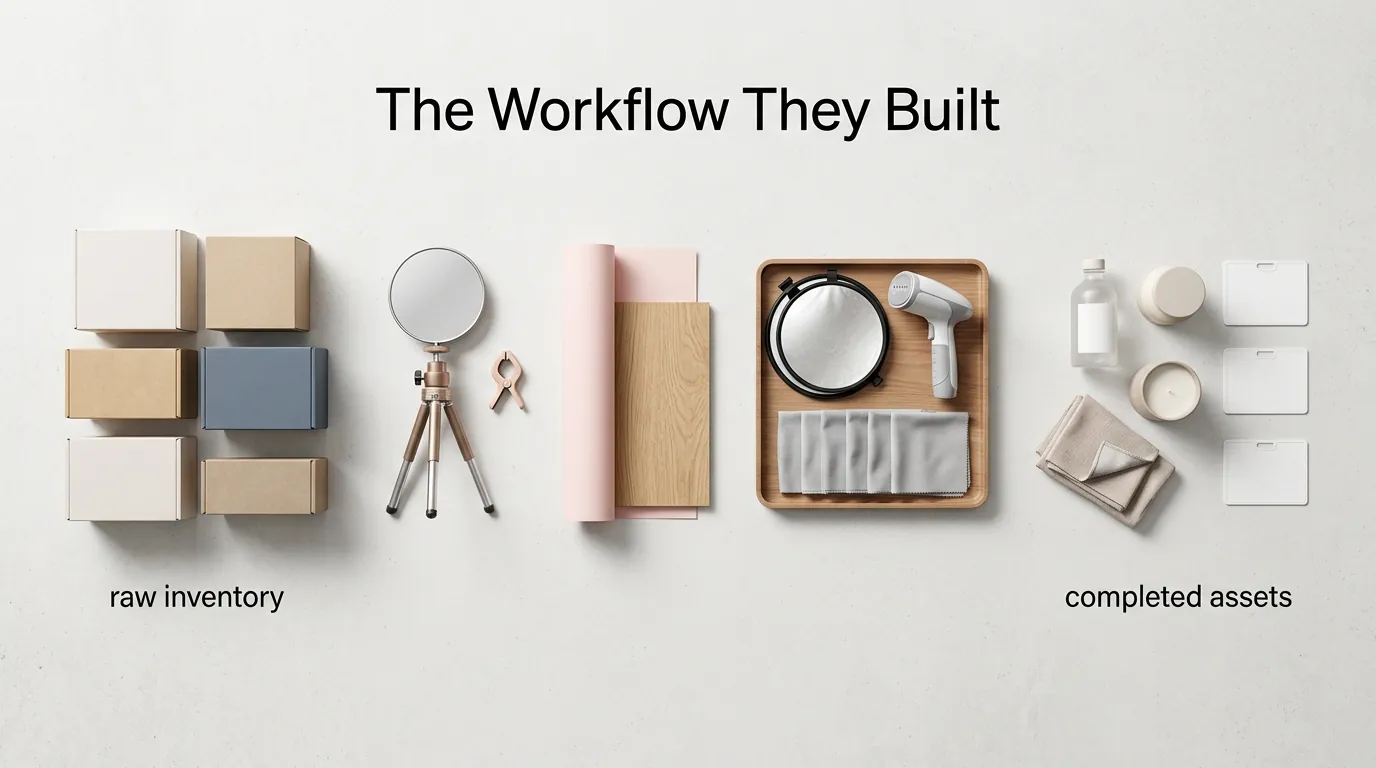
The Workflow They Built
💡 Skip the manual editing. PixelMatch batch-generates ecommerce-ready product images in 60 seconds — white background, lifestyle scenes, and variant mockups from a single source photo. Try PixelMatch free →
Connect your Shopify product feed to CapCut Commerce Pro to enable direct asset syncing, but only after you have standardized your raw files. The brand realized that the secret to high-converting AI video isn’t just the video tool itself—it’s the quality of the “seed” image you feed into the AI.
Step 1: Batch-Processing with PixelMatch
The team abandoned manual Photoshop work in favor of PixelMatch. They uploaded raw, smartphone-captured photos of their beauty products in bulk. PixelMatch’s engine was used to bulk image background remover the original settings and replace them with a standardized, marketplace-compliant white. More importantly, they used the batch-resize feature to output three versions of every photo:
- Amazon Main Image: 2000 x 2000 px on a pure white (255, 255, 255 RGB) background.
- Shopify Gallery: 2048 x 2048 px with a subtle drop shadow for a premium feel.
- Video Seed: A transparent PNG version optimized for CapCut’s video layers.
Step 2: Integrating with CapCut Commerce Pro
With a library of “perfect” product assets ready, the brand moved to CapCut Commerce Pro. By leveraging the monthly plan starting at $25.99 for 1,800 credits, they gained access to a specialized suite of ecommerce-first tools designed specifically for multi-platform sellers.
Step 3: Generating High-Converting Shoppable Video
Instead of filming a spokesperson, the team utilized CapCut Commerce Pro’s AI avatars. They uploaded their PixelMatch-cleaned product images and used the “Smart Template” feature. The AI analyzed the product category (Beauty) and automatically generated a script, applied a natural-sounding voiceover, and placed the product in a dynamic, 9:16 vertical video environment. Because the images from PixelMatch were already high-resolution and perfectly masked, the AI-generated videos looked professional rather than “glitchy.”
Step 4: Auto-Publishing and Scheduling
The final step in their workflow was using the built-in scheduler. CapCut Commerce Pro allows sellers to link their TikTok Shop and Instagram accounts directly. The team scheduled their 40+ weekly variants in a single Monday morning session, ensuring a consistent posting cadence without manual daily uploads.
Results (with Numbers)

Set a target Cost Per Acquisition (CPA) for your AI-generated creative that is at least 30% lower than your traditional UGC average. By shifting to this automated workflow, the brand was able to outperform their previous agency-led benchmarks across every key performance indicator.
| Metric | Before (Freelance UGC) | After (PixelMatch + CapCut) | Improvement |
|---|---|---|---|
| Cost Per Ad Variant | $80.00 | <$10.00 | 87.5% Reduction |
| Average CTR | 1.2% | 3.1% | 158% Increase |
| Creative Turnaround | 10-14 Days | <2 Hours | 99% Speed Increase |
| Weekly Output | 5-8 Videos | 40+ Videos | 5x Scale |
| Editing Time (Weekly) | 20+ Hours | 5 Hours | 75% Time Saved |
The drastic reduction in cost per variant allowed the brand to “fail fast.” Instead of spending $800 to test 10 variants, they spent less than $100. This increased volume meant they found “winning” hooks much faster, which is why their average CTR (Click-Through Rate) jumped from 1.2% to 3.1%.
PixelMatch specifically solved the Amazon listing suppression issues that had previously plagued the brand. By ensuring every main image met the Amazon 255, 255, 255 RGB requirement automatically, the brand saw a “halo effect” of increased organic traffic because their listings were never flagged or hidden by the A9 algorithm for technical non-compliance.
Steps to Replicate

Batch-process at least 50 images in PixelMatch before you even open the CapCut editor. Workflow fragmentation—switching back and forth between tools—is the biggest killer of ecommerce productivity. Follow this exact checklist to replicate the $5M brand’s success:
- Shoot for the AI: Use a modern smartphone to take well-lit, raw photos of your product from multiple angles (front, 45-degree, top-down). Do not worry about the background or professional lighting; just ensure the product is in focus.
- Clean the Assets in PixelMatch:
- Upload your raw folder to PixelMatch.
- Set the background removal to “Pure White” for Amazon or “Transparent” for video overlays.
- Set the output dimensions to 2048 x 2048 px to ensure compatibility across Shopify and TikTok Shop.
- Download the processed batch.
- Upload to CapCut Commerce Pro: Open the CapCut Commerce Pro dashboard and navigate to the “Product-to-Video” tool.
- Select an Ecommerce Template: Choose a template specifically designed for your niche (e.g., “Skincare Reveal” or “Flash Sale”).
- Configure AI Avatars: Select an AI avatar that matches your brand’s target demographic. Use the “AI Script” generator to write a 15-second script focusing on one specific pain point (e.g., “Dry skin in winter?”).
- Batch Export and Schedule: Generate 5-10 variations of the same video by changing only the hook or the background music. Schedule these to post across your connected social channels using the CapCut auto-publishing feature.
Caveats and Honest Limitations

Tag all AI-generated videos with the “AI-generated” disclosure required by TikTok’s synthetic media policy to avoid account shadow-banning or video removal. While the PixelMatch and CapCut workflow is incredibly efficient, it is not a “set and forget” solution for every product category.
CapCut Commerce Pro’s AI avatars and generated environments are highly effective for mid-market DTC goods, but they may not pass the strict aesthetic or legal compliance reviews for highly regulated niches like medical-grade supplements or high-end luxury jewelry. In these cases, the “uncanny valley” effect of an AI spokesperson can actually decrease brand trust.
Furthermore, while CapCut offers basic image background removal, it is built primarily as a video engine. For the pixel-perfect precision required to avoid Amazon’s automated image rejection bots, PixelMatch is the superior choice. CapCut’s background removal can occasionally struggle with fine details like hair or translucent glass, whereas PixelMatch is designed specifically for these high-stakes ecommerce edge cases.
Finally, manage your credit consumption carefully. The yearly plan at $20.84/month provides 21,600 annual credits, which sounds like a lot, but high-volume sellers running massive A/B tests can burn through these faster than expected. If you are generating 100+ videos a week, you need to monitor your dashboard to avoid mid-month service interruptions.
Frequently Asked Questions
Does CapCut Commerce Pro work with Amazon?
Yes, you can use the videos generated in CapCut Commerce Pro for Amazon Brand Story and A+ Content video modules. However, ensure your product images are first processed through PixelMatch to meet Amazon’s 1000px minimum zoom requirement before they are used in the video.
How many credits does a single video cost in CapCut Commerce Pro?
Pricing and credit usage can vary based on the features used (like AI avatars or high-resolution exports), but typically, the monthly plan for $25.99 provides 1,800 credits, which is sufficient for most small to mid-sized brands producing 20-40 videos per month.
Will TikTok ban my account for using AI-generated avatars?
No, TikTok allows AI-generated content as long as it adheres to their Community Guidelines. You must use the “AI-generated” label provided in the upload flow to remain transparent with viewers and avoid platform penalties.
Can I use PixelMatch for platforms other than Shopify and Amazon?
Absolutely. PixelMatch allows you to set custom aspect ratios and background colors, making it ideal for creating assets for Etsy, eBay, and Walmart Marketplace, which have their own specific image size and background requirements.
Ready to scale your listings?
PixelMatch generates white-background, lifestyle, and variant mockups from a single source photo — built specifically for multi-platform ecommerce sellers. 50 free images on signup, no credit card.
Start free →
Sources
- Amazon Seller Central: Product Image Requirements
- Shopify Help Center: Product Media Types and Specifications
- CapCut Commerce Pro: Pricing and Plans
- TikTok Shop Seller University: Product Image Guidelines
- TikTok Community Guidelines: Synthetic and Manipulated Media
- Walmart Seller Help: Image Policy