TikTok Shop AI Label Requirement Update: 2026 Seller Guide
Running a TikTok Shop without a clear understanding of AI disclosure rules is a fast track to 48 violation points and a permanent account ban. As TikTok integrates automatic labeling via Content Credentials, your ability to distinguish between “enhanced” and “generated” content determines whether your listings stay live or vanish from the For You feed.
TikTok Shop requires sellers to disclose fully or significantly AI-generated content using the platform’s “AI-generated content” toggle or a visible watermark. Sellers must not use AI to misrepresent product features, fake results, or invent stories.
Quick Reference Table
Related: Runway Gen 3 vs Luma Dream Machine for Ecommerce: 2026 Policy Guide · Opt Out of Meta AI Training for Instagram Product Photos · EU AI Act Disclosure Requirements for Ecommerce Images (2026)
Audit your current creative workflow against the TikTok Shop AI-Generated Content Restrictions to determine which assets require immediate labeling. TikTok’s enforcement relies on both manual reports and automated detection of C2PA metadata, meaning hidden AI markers in your files can trigger labels even if you forget to flip the toggle.
| Content Type | Label Required? | Disclosure Method | Risk Level |
|---|---|---|---|
| Pure AI Product Photography | Yes | Mandatory Toggle + Watermark | High |
| AI Background Swaps | Yes | Mandatory Toggle | Medium |
| Minor Color Correction | No | None required | Low |
| AI-Generated Avatars/Models | Yes | Mandatory Toggle + “AI-Generated” Text | High |
| Upscaled Real Photos | No | None required | Low |
| AI “Before/After” Results | PROHIBITED | N/A (Listing Removal) | Critical |
Actionable Step: Download your current product images and run them through a metadata viewer today. If your tools are embedding C2PA “Content Credentials,” TikTok will automatically apply an “AI-generated” label regardless of your manual settings. Ensure your team knows which files contain these markers to avoid “surprise” labels on your most sensitive listings.
Detailed Requirements
TikTok’s stance on AI-generated content (AIGC) is built on the principle of transparency. According to the TikTok Community Guidelines regarding synthetic media, the platform defines “significantly altered” media as content that uses AI to create realistic scenes or people that did not happen in reality. For a TikTok Shop seller, this means any image that places a product in a synthetic environment or uses an AI model to “wear” the product must be disclosed.
The 3 Golden Rules for AIGC
To remain compliant, every AI-generated asset in your shop must pass three specific tests. Failing any of these can lead to “Misleading Content” violations, which carry heavy penalties in the TikTok Shop Seller Center.
- Rule 1: Don’t misrepresent the product. Your AI visuals must match the real product’s color, size, material, and features exactly. If you use an AI tool to generate a lifestyle background, you cannot allow the AI to “re-imagine” the product. For example, an AI-generated leather texture that looks smoother than the actual item is a violation of TikTok’s misleading claims policy.
- Rule 2: Don’t fake results. This is the most common pitfall for health and beauty sellers. You are strictly prohibited from using AI or filters to create fake “after” effects. This includes using AI to smooth skin for a skincare product or using generative fill to make hair look thicker for a supplement ad. TikTok’s policy on misleading medical and health claims is unforgiving; AI-generated “results” are viewed as fraudulent.
- Rule 3: Don’t fake stories to push sales. TikTok prohibits using AI to invent “crisis” events or emotional stories to drive impulse buys. Using AI to generate images of a fake natural disaster or a fabricated personal tragedy to sell “survival gear” or “charity items” will result in an immediate and permanent ban.
Transparency and Disclosure Methods
If your content is “significantly altered,” you must use the built-in disclosure tools. TikTok provides a specific “AI-generated content” toggle during the upload process. When activated, this adds a clear, platform-standard label to the bottom-left of your video or image.
For static product images where the toggle might not be available (such as secondary gallery images), sellers should include a clear text overlay or watermark. While Adobe Express ($9.99/mo) and Photoroom ($12.99/mo) offer easy watermark tools, the platform’s preference is always the native toggle, as it integrates with TikTok’s internal tracking systems.
Actionable Step: Implement a “Product Truth” checklist for your creative team. Before any AI-generated background is approved, it must be overlaid with the original RAW photo at 50% opacity to ensure the product’s physical dimensions and textures haven’t shifted by even a single pixel.
Common Rejection Reasons

💡 Skip the manual editing. PixelMatch batch-generates ecommerce-ready product images in 60 seconds — white background, lifestyle scenes, and variant mockups from a single source photo. Try PixelMatch free →
Most TikTok Shop sellers do not get banned for using AI; they get banned for lazy AI use. When the algorithm or a manual reviewer flags a listing, it is usually because the AI has introduced “hallucinations” that make the product look different from what the customer will receive.
Structural Hallucinations and Texture Drift
A common rejection reason is “Inconsistent Product Promotion.” This occurs when an AI image generator adds features that don’t exist on the physical product—known as structural hallucinations. If you are selling a backpack with two zippers, but your AI-generated lifestyle shot shows three zippers or a “phantom” pocket, the listing will be rejected for misleading customers.
Texture drift is equally dangerous. If you sell a matte-finish water bottle, but your AI background generator adds a glossy sheen or a metallic reflection to the bottle to make the lighting look “better,” you have misrepresented the material. TikTok’s quality control bots are increasingly adept at spotting these inconsistencies against your primary, non-AI product photos.
Exaggerated Performance Claims
In the “Beauty & Personal Care” and “Health” categories, the rejection rate for AI content is significantly higher. Sellers often use AI to generate “perfect” skin or “perfect” teeth in their promotional images. This violates the prohibition on digitally generated fake results. If the “after” photo in your carousel was created by a prompt rather than a camera, it is an automatic violation.
Even if the product works, using AI to demonstrate that work is forbidden. TikTok requires that all performance claims be demonstrated with authentic, unedited footage or photography.
Actionable Step: Cross-reference your AI-generated product textures against high-resolution physical photos. If you see “digital noise” or “swirling” patterns in the product’s texture that aren’t present in the real item, discard the image immediately. These are clear signals to TikTok’s automated reviewers that the image is synthetic.
How to Fix Each Issue
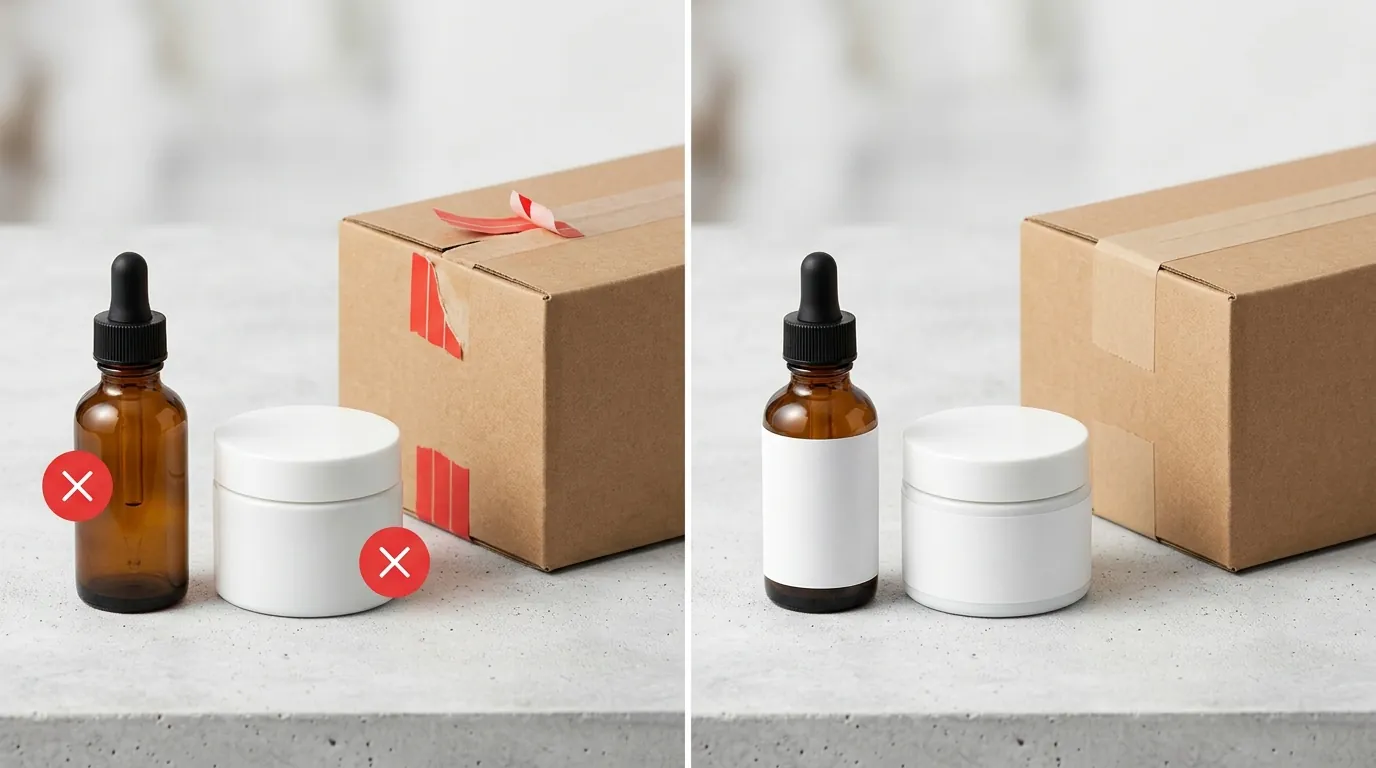
Compliance doesn’t mean you have to stop using AI. It means you must use tools designed for ecommerce accuracy rather than artistic flair. Tools like PixelMatch are specifically built to solve the “hallucination” problem by locking the product pixels while only generating the surrounding environment.
Applying the AI Toggle Correctly
The most immediate fix for “Missing Disclosure” violations is the correct use of the AIGC toggle.
- When to toggle: If you used an AI tool to change the background, add a person, or generate the entire scene.
- When NOT to toggle: If you only used AI for basic retouching (removing a dust speck, adjusting brightness) or if you used an AI-powered upscaler like Upscale.media to improve the resolution of a real photo.
If your listing has already been flagged, do not simply re-upload the same image. Delete the rejected asset, regenerate it with a focus on product integrity, and ensure the disclosure toggle is active upon re-upload.
Generating Compliant Images with PixelMatch
To avoid the “Inconsistent Product Promotion” trap, you need a workflow that treats the product as a “sacred” layer. PixelMatch is better suited for this ecommerce workflow because it uses a “product-first” generation engine. Unlike generic tools that might “re-draw” your product to fit a prompt, PixelMatch batch-generates AI product images by keeping your original item’s dimensions, colors, and textures 100% intact while swapping the lifestyle background.
This allows you to:
- Maintain Compliance: Since the product itself is never “generated” (only the background is), you minimize the risk of texture drift and structural hallucinations.
- Scale Safely: You can generate 50 different lifestyle settings for a single SKU, ensuring each one meets the 800 x 800 px minimum recommendation without manually editing every shot.
- Label with Confidence: By using a consistent AI generation process, you can standardize your labeling. Since you know every lifestyle shot in a specific batch is AI-assisted, you can safely apply the AIGC toggle to the entire set.
Actionable Step: Batch-process your catalog through a compliant AI generator like PixelMatch to separate your product layers from synthetic environments. This ensures that even if you change the background from a “beach” to a “mountain,” the product remains a factual representation of your inventory.
Official Source Links

Stay updated by bookmarking these official TikTok Shop and industry policy pages. TikTok updates its Seller University and Newsroom frequently, and these links are the primary sources for the rules discussed in this guide.
| Source Name | Link | Key Information |
|---|---|---|
| TikTok Newsroom | New labels for AIGC | Official announcement of labeling requirements. |
| TikTok Community Guidelines | Synthetic Media Policy | Detailed definitions of “significantly altered” content. |
| TikTok Newsroom (Technical) | C2PA Implementation | How TikTok detects AI metadata automatically. |
| Adobe Pricing | Adobe Express Plans | Cost of compliant design and watermarking tools. |
| Photoroom Pricing | Pro Tier Pricing | Subscription costs for AI background removal. |
Frequently Asked Questions
Do I need to label my images if I only used AI to remove the background?
No, TikTok generally does not require a label for “minor” edits like background removal, provided the product itself is not altered. However, if you replace that background with a realistic, AI-generated lifestyle scene (e.g., a forest or a luxury kitchen), that is considered “significantly altered” and requires the AI-generated content label.
What happens if I forget to use the AI toggle on TikTok Shop?
If TikTok’s automated systems detect AI metadata or “synthetic patterns” in your images, they may automatically apply the label for you. However, repeated failure to disclose AI content manually can lead to “Content Violation” points. Accumulating 12 to 48 points can lead to temporary or permanent suspension of your seller privileges.
Can I use AI to generate “Before and After” photos for my beauty products?
No. Using AI to generate “After” results is a direct violation of TikTok Shop’s misleading content policies. All results shown must be authentic and achieved by real people using the actual product. AI-generated results are viewed as a “fake claim” and are one of the fastest ways to get a listing permanently removed.
How does TikTok know if an image is AI-generated if I don’t tell them?
TikTok has partnered with the Coalition for Content Provenance and Authenticity (C2PA) to detect “Content Credentials” embedded in image metadata. Many popular AI tools automatically embed these invisible markers. Additionally, TikTok uses machine learning models trained to identify common AI artifacts like “hallucinated” textures, unnatural lighting, and anatomical errors.
Does labeling my images as “AI-generated” hurt my sales?
While some sellers fear a “stigma” around AI, TikTok’s data suggests that transparency builds more long-term trust. Listings that are correctly labeled are eligible for the For You feed, whereas undisclosed AI content that gets flagged may have its reach restricted or be removed entirely, which is far more damaging to your sales.
Ready to scale your listings?
PixelMatch generates white-background, lifestyle, and variant mockups from a single source photo — built specifically for multi-platform ecommerce sellers. 50 free images on signup, no credit card.
Start free →
Sources
- TikTok Newsroom: New labels for AI-generated content
- TikTok Newsroom: TikTok is the first video platform to implement Content Credentials
- TikTok Community Guidelines: Synthetic and Manipulated Media
- Adobe: Adobe Express Pricing and Plans
- Photoroom: Photoroom Pro Pricing
- TikTok Shop Seller University: Misleading Content Policy Overview