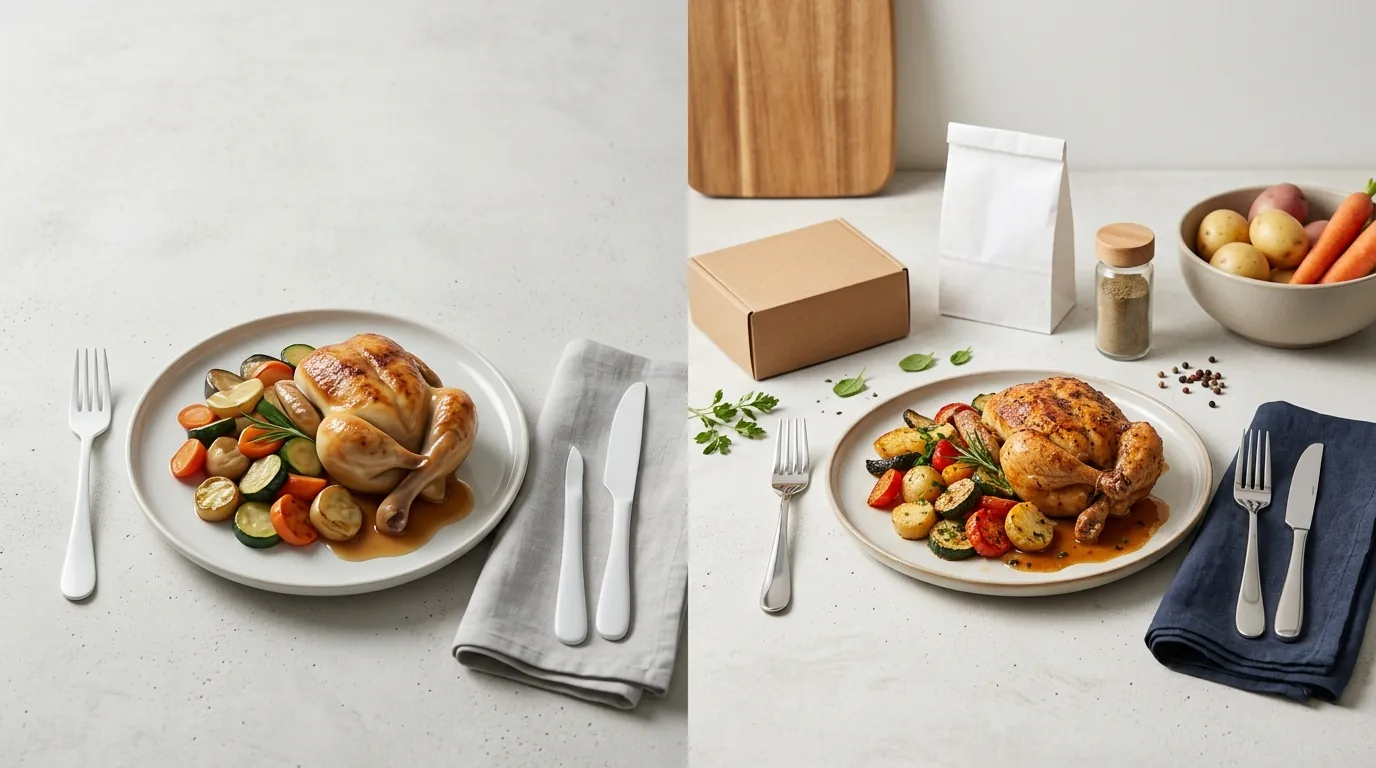
Fixing Uncanny Valley in AI Food Photos for Ecommerce
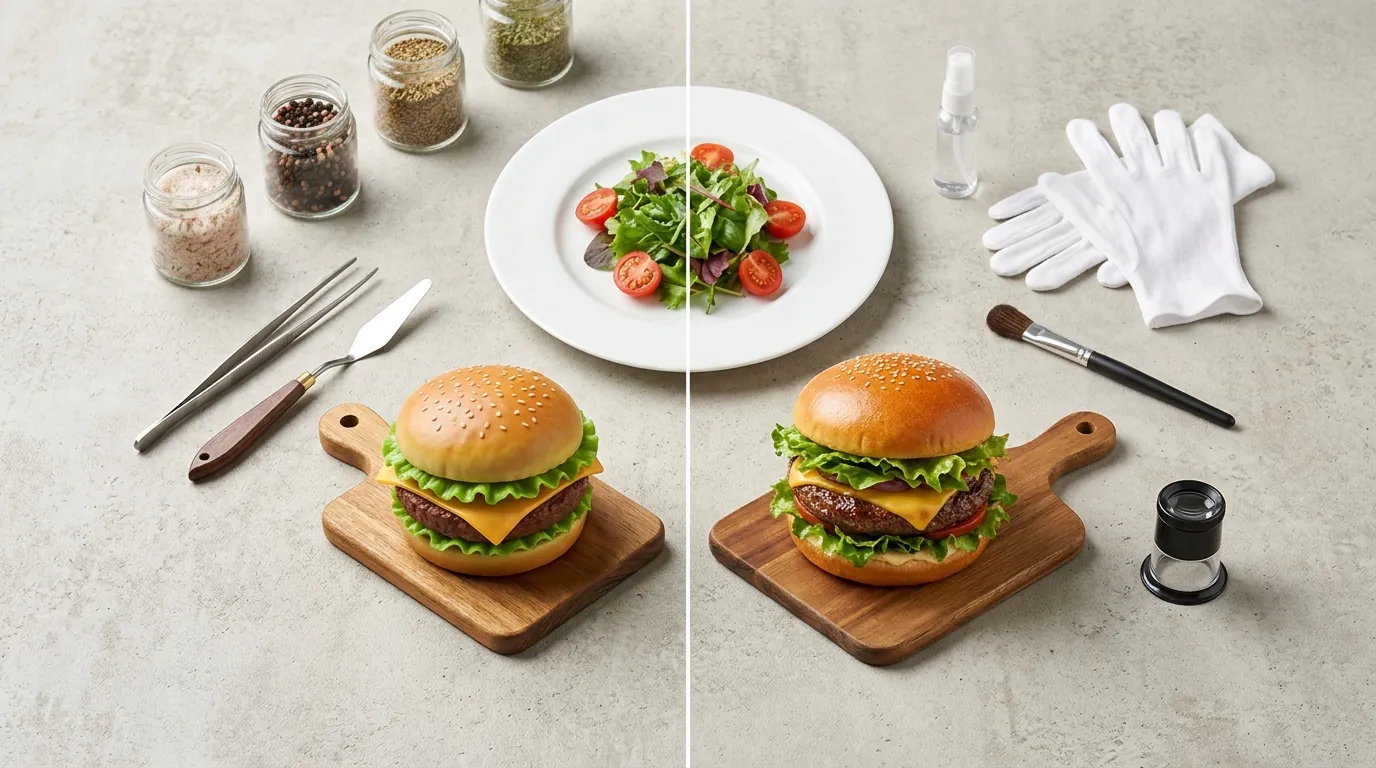
Your AI-generated burger looks like a plastic toy, and Amazon just flagged your latest grocery listing for “image quality issues” because the cheese appears to be melting into the plate rather than over the patty. When AI-generated food photos fall into the “uncanny valley,” they don’t just look fake—they trigger a visceral “disgust” response in shoppers that kills conversion rates and leads to immediate marketplace rejections.
To fix uncanny valley in AI food photos, avoid physics-defying textures and hyper-perfect lighting. Amazon Grocery requires pure white backgrounds, while TikTok Shop requires 600x600px minimums and accurate FDA labeling.
Quick Reference Table
Related: Amazon AI Disclosure Label Appeal Process: 2026 Seller Guide · Etsy AI Disclosure Policy for Handmade Sellers: 2026 Guide · Amazon Massive AI Content Policy Update 2026 Guide
Audit your current image library against the pixel-minimum thresholds in the table below to identify listings at risk of suppression. Every platform has distinct tolerances for AI-generated content; failing to meet the resolution or background requirements can result in your product being hidden from search results.
| Platform | Min Resolution | Max File Size | Main Image Background | AI Disclosure Rule |
|---|---|---|---|---|
| Amazon Grocery | 1600 px (longest side) | 10 MB | Pure White (RGB 255, 255, 255) | Not currently mandatory for photos |
| Shopify | 2048 x 2048 px (recommended) | 20 MB | Any (lifestyle encouraged) | No platform-wide requirement |
| TikTok Shop | 600 x 600 px | 5 MB | Any (high contrast preferred) | Label as “AI-generated content” |
| Etsy | 2000 px (shortest side) | 1 MB (recommended) | Any | Mandatory AI checkbox |
Detailed Requirements
Configure your image export workflow to force RGB 255, 255, 255 for all main hero shots destined for Amazon. While AI tools like Photoroom or PixelMatch can generate stunning lifestyle backgrounds, using these for your primary Amazon image will result in a “Search Suppressed” status.
Amazon Grocery Specs
Amazon strictly enforces a pure white background (RGB 255, 255, 255) for the main hero image. This means your AI-generated lifestyle backgrounds—such as a rustic kitchen counter or a sun-drenched picnic table—are only permitted on secondary images (the “carousel”). For the main image, the food or packaging must occupy at least 85% of the frame.
If you are selling packaged food, the packaging must be the primary focus. AI tools often struggle with the “shiny” texture of plastic wrappers, creating an uncanny reflection that doesn’t exist in reality. To comply with Amazon’s standards, ensure your AI output does not include any “ghosting” effects or blurry edges where the product meets the white background. Amazon’s automated systems use edge-detection to verify that the product has been professionally cut out.
Shopify & TikTok Shop Rules
Shopify is more flexible, allowing high-resolution uploads up to a maximum 20 MB file size. However, AI images are often generated at 72 DPI and then upscaled. If you upscale incorrectly, you introduce “artifacts”—weird digital noise—that becomes visible on Retina displays. Shopify recommends a 2048 x 2048 pixel square to balance page load speed with visual clarity.
TikTok Shop presents a different challenge: the platform requires accurate FDA labeling on packaged food. AI images cannot alter the nutritional panel or ingredients list. If your AI generation “hallucinates” a change to the font of your “Non-GMO” badge or shifts the position of the “Net Weight” text, you are in violation of TikTok Shop’s Product Listing Guidelines. Furthermore, Etsy now requires sellers to disclose synthetic media by selecting the “I used AI-generative technology” checkbox during the listing process. Failure to check this box for AI-altered food photos can lead to permanent shop suspension under their updated 2024 creativity standards.
Common Rejection Reasons
💡 Skip the manual editing. PixelMatch batch-generates ecommerce-ready product images in 60 seconds — white background, lifestyle scenes, and variant mockups from a single source photo. Try PixelMatch free →
Perform a “label legibility test” by zooming in 200% on your AI-generated packaging to ensure the FDA-mandated font remains sharp and readable. If the text looks like “alien script” or the barcodes are smudged, the listing will fail manual review on TikTok Shop and Amazon.
Physics-Defying Textures
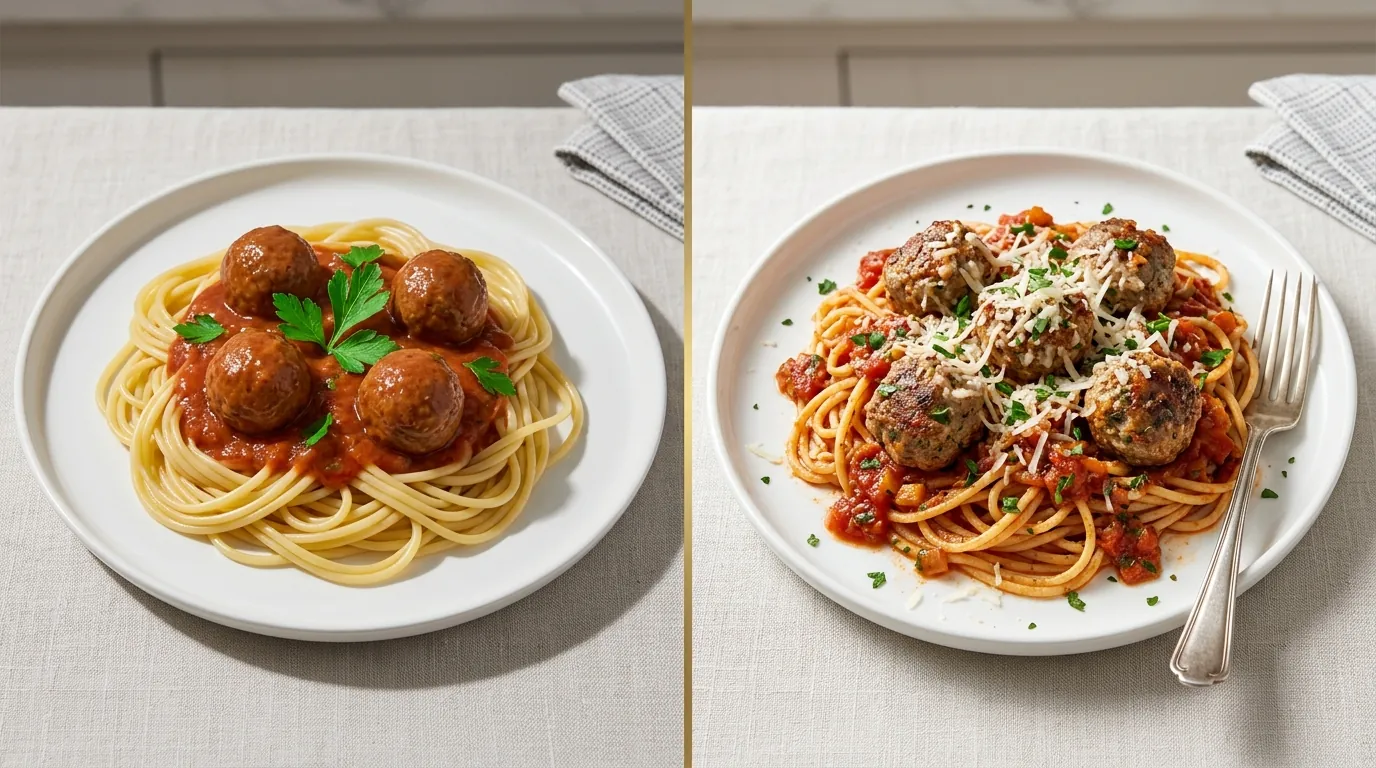
The most common cause of the uncanny valley in food photography is “impossible physics.” AI models often fail to understand the relationship between different food components. You might see cheese that melts into a wooden board rather than sitting on top of it, or bread crusts that are perfectly symmetrical on both sides. In real food, imperfections are what signal “edibility” to the human brain. When AI generates a strawberry with 500 perfectly spaced seeds, the consumer’s brain flags it as “plastic” or “toxic.”
Misrepresentation of Ingredients
Adding AI-generated garnishes or ingredients that aren’t actually included in the packaged product leads to immediate marketplace suspension. For example, if you sell a dry protein powder but your AI-generated lifestyle image shows fresh blueberries and mint leaves that are not in the ingredients list, you are violating the Amazon Misrepresentation Policy. Customers who receive the product and don’t see those “fresh” elements will leave 1-star reviews citing “false advertising,” which is the fastest way to lose your Buy Box eligibility.
Over-Processed Lighting
Generative AI tools often default to “Hyper-realistic” or “Cinematic” lighting, which results in extreme golden hour glows or hyper-saturated colors. While these look good on Instagram, they look fake on an ecommerce product page. If the lighting on your food doesn’t match the lighting on your packaging, the image looks “composited” or “glued together.” This mismatch is a major trigger for the uncanny valley effect.
Text and Logo Distortion
Generative AI frequently scrambles the text on food packaging labels. This isn’t just an aesthetic issue; it’s a legal one. TikTok Shop and Amazon require clear, readable branding. If your brand name is “PureEats” but the AI renders it as “PueEats,” the platform’s brand-protection algorithms will flag the listing as a potential counterfeit. Always keep the original label 100% intact.
How to Fix Each Issue
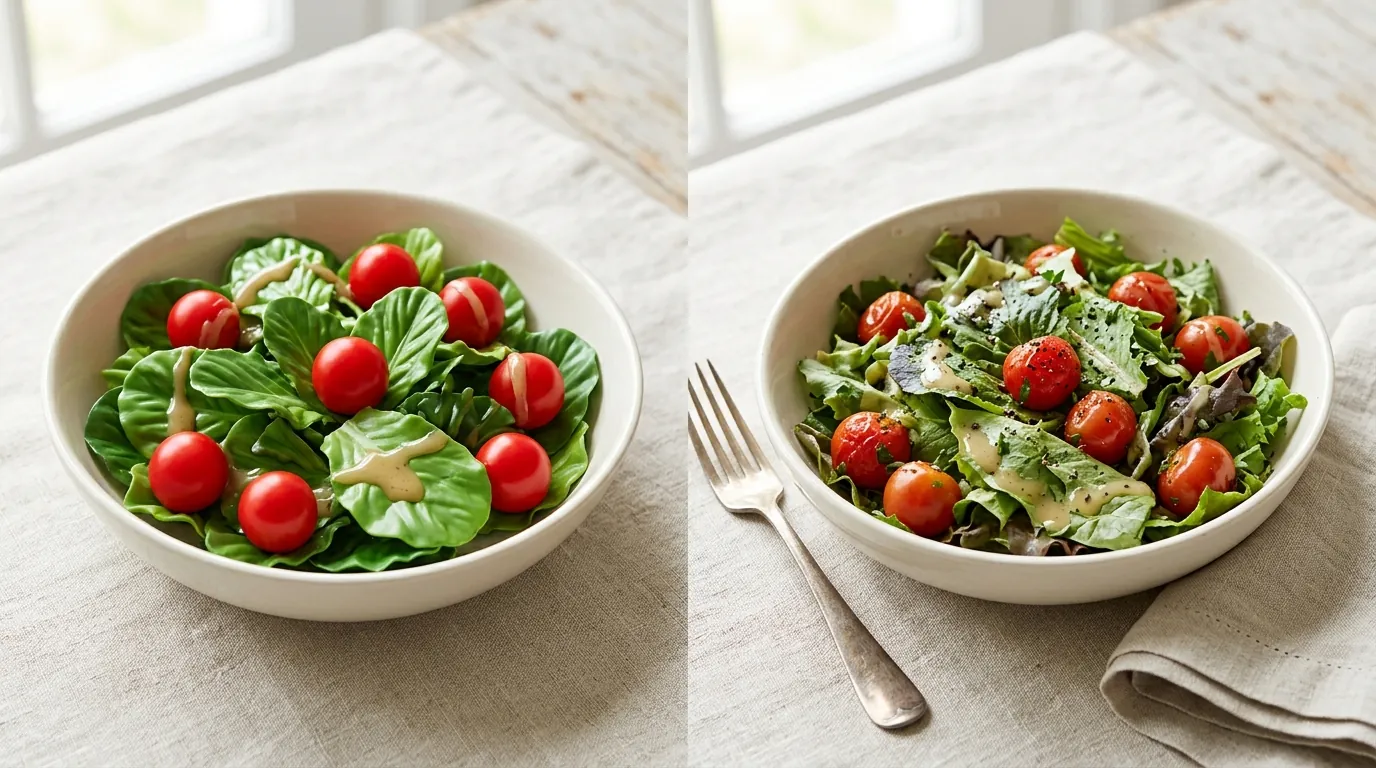
Apply a layer mask to your physical product in PixelMatch to ensure the AI only modifies the environment, not the food itself. This “anchoring” technique is the only way to guarantee that the product remains 100% authentic while the background remains visually engaging.
Anchor Your Generations to Real Photography
The biggest mistake sellers make is asking AI to “generate a burger on a plate.” Instead, take a high-quality photo of your actual burger on a plain background. Use PixelMatch to batch-generate backgrounds around that specific photo. By preserving the exact texture, shape, and label of your original item, you eliminate the risk of the AI inventing a “better” but “fake” version of your product. This process, known as “Image-to-Image” generation with a fixed seed, ensures that the item the customer sees is exactly what they will receive.
Lighting and Texture Prompts
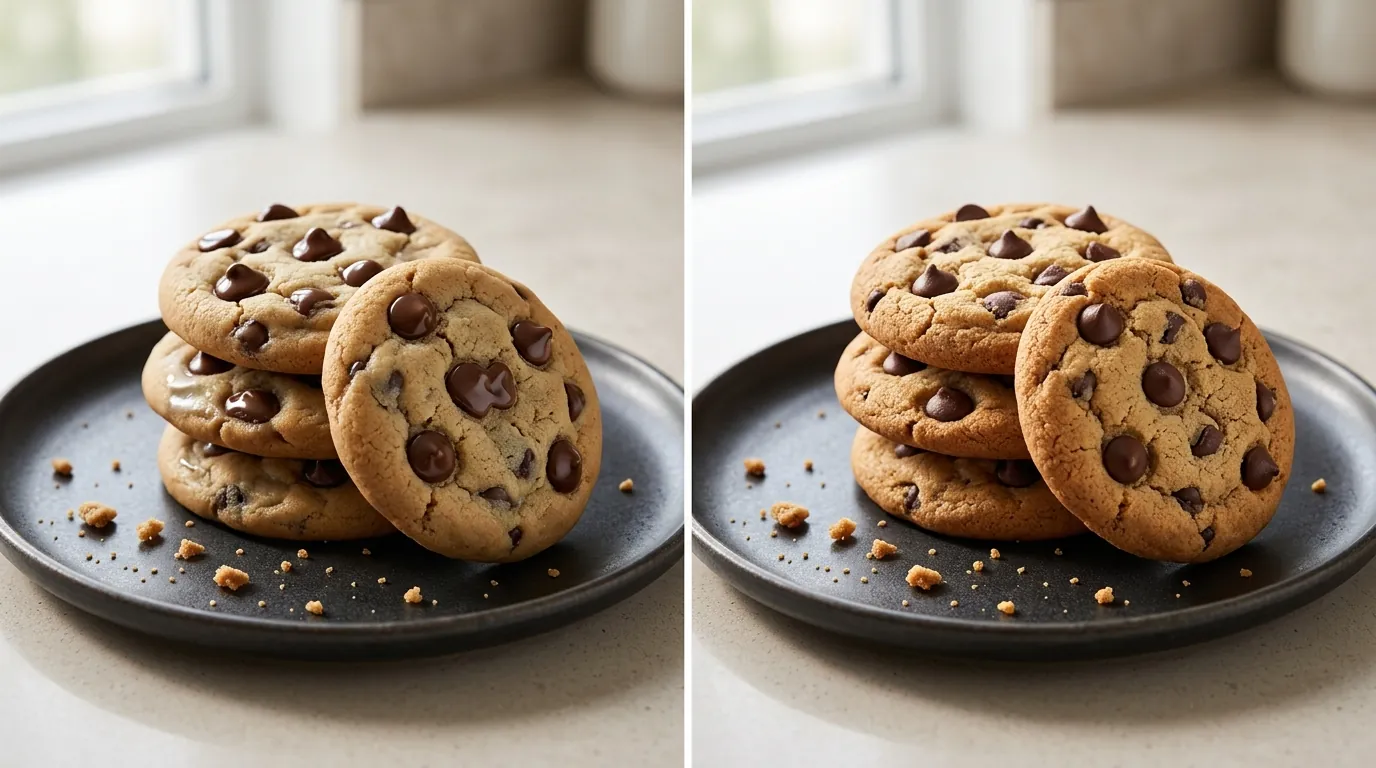
To avoid the plastic, uncanny valley look, stop using prompts like “vibrant,” “delicious,” or “hyper-realistic.” These keywords tell the AI to over-smooth textures. Instead, use prompts that describe natural lighting conditions:
- “Soft side lighting”: Creates natural shadows that define the food’s shape.
- “Diffused natural window light”: Mimics the look of a professional studio without the harsh, fake reflections.
- “Matte textures, realistic imperfections”: Encourages the AI to keep the natural “grit” of food, like crumbs or uneven sauce spreads.
Preserving Packaging Labels
When working with AI, always use a tool that allows for “masking.” You should mask out the product’s label during the generation process so the original FDA nutritional facts and brand logos remain unaltered. If you are using a tool like Canva or Adobe Express, use the “Background Remover” first, then place your original product photo onto the AI-generated background. This prevents the AI from “re-imagining” your typography.
Keep Secondary Elements Minimal
Don’t let the AI invent complex props like intricate silverware or ornate napkins. These elements often have warped edges that scream “AI-generated.” Stick to simple, contextual backgrounds like a marble countertop, a wooden cutting board, or a plain linen tablecloth. The fewer “objects” the AI has to create, the less likely it is to make a physics mistake that ruins the photo.
Frequently Asked Questions
Can I use AI to add ingredients to my food photos?
You should only use AI to add ingredients that are physically present in the product. Adding “serving suggestions” like fresh fruit to a dry cereal photo is allowed on Shopify and Etsy, but Amazon requires these to be clearly labeled or used only in secondary images. Never use AI to make the food look larger or more filled with premium ingredients than it actually is, as this triggers “Item Not As Described” returns.
Does Amazon ban AI-generated food photos?
Amazon does not ban AI-generated photos, but they do ban photos that do not meet their Product Image Requirements. If your AI photo has a non-white background for the main image, or if the product looks distorted, it will be rejected. Amazon also uses AI to detect AI; if their system determines the image is “misleading,” your listing can be suppressed.
How do I disclose AI use on Etsy?
Under Etsy’s 2024 Creativity Standards, if you used AI to create or significantly alter an image, you must disclose it. When creating a listing, look for the “About this listing” section and find the checkbox for “I used AI-generative technology.” This transparency helps maintain buyer trust and keeps your account in good standing.
Why does my AI food look like plastic?
This usually happens because of “over-smoothing.” AI models often remove the natural “noise” and “texture” from surfaces to make them look “cleaner.” In food, this results in a plastic-like sheen. To fix this, use prompts that specify textures, such as “coarse salt,” “cracked pepper,” or “porous bread texture,” and avoid high-saturation filters.
Official Source Links
Always verify current image specs and AI disclosure policies directly with the marketplaces, as these numbers are subject to change during platform updates.
| Source | Link | Key Policy |
|---|---|---|
| Amazon Seller Central | Image Requirements | RGB 255, 255, 255 background |
| Shopify Help Center | Product Media | 20MB / 4472px limit |
| TikTok Shop Academy | Listing Guidelines | 600x600px / FDA accuracy |
| Etsy Legal | Creativity Standards | Mandatory AI disclosure |
| Photoroom Pricing | Pro Tier | $12.99/mo for batch tools |
Ready to scale your listings?
PixelMatch generates white-background, lifestyle, and variant mockups from a single source photo — built specifically for multi-platform ecommerce sellers. 50 free images on signup, no credit card.
Start free →
Sources
- Amazon Seller Central: Product image requirements
- Shopify Help Center: Product media types, sizes, and limits
- TikTok Shop Seller Center: Product Image and Video Specifications
- Etsy Seller Handbook: Our Creativity Standards
- TikTok Shop Policy: Prohibited Products and Misleading Claims
- Photoroom: Pricing and Pro Features